
Booking.com Channel Manager
Synchronize Rates, Availability and Bookings in Real-Time
Reduce the management time and costs, let the Channel Manager automatize everything.
Manage all aspects of Booking.com through the Channel Manager.
Avoid overbooking and manage your rates thanks to real-time updates.

Ranked as a Premier Partner of Booking.com since 2018


e4jConnect is the winner of the "Best Innovation"
Connectivity Partner Award 2020 of Booking.com
Manage any information on Booking.com through your WordPress or Joomla website
You can manage pretty much anything of your Booking.com Account(s) directly from your Channel Manager.
This is a list of some of the main benefits you get thanks to our Premier partnership with Booking.com.
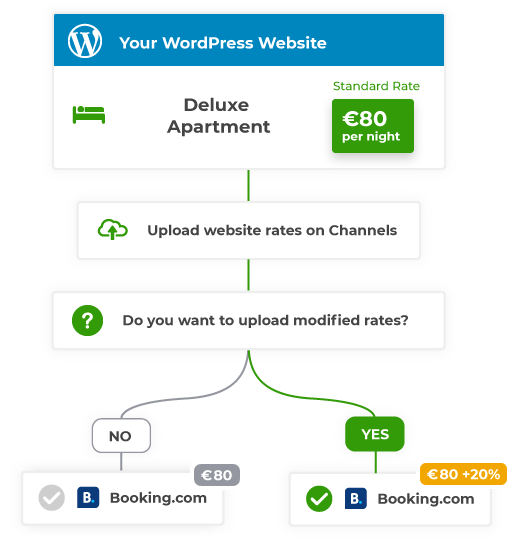
Upload custom rates
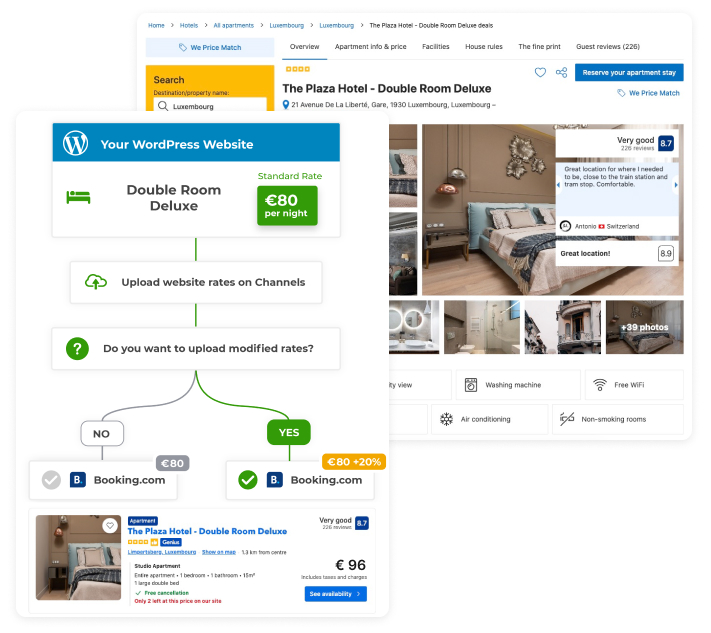
Use your website to manage your Booking.com rates. No more need to log into your Extranet accounts to change a price.
Bulk upload your website rates in mass to Booking.com, or manage different rates with the ease of one click or tap.
Real-time synchronization
Automated synchronisation of the availability for new bookings, modifications and cancellations.
Real-time sync for Rates, Restrictions and Promotions.
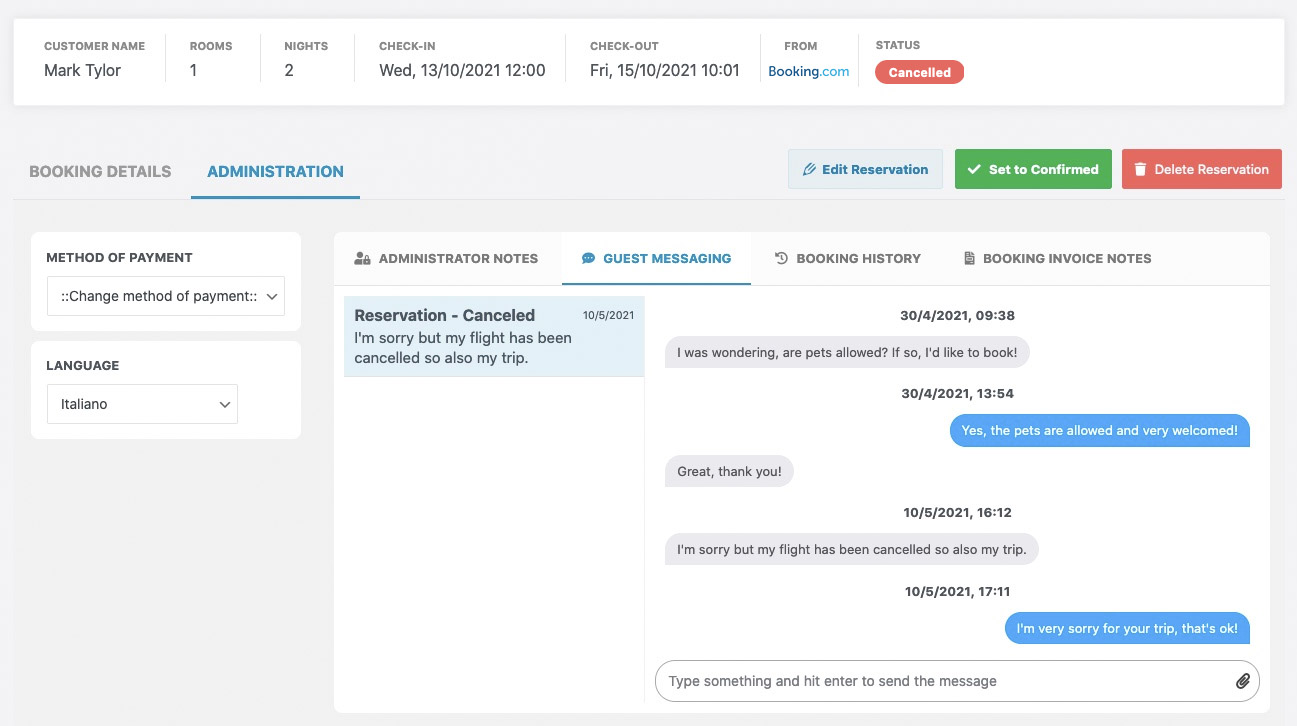
Direct messaging with your guests through an internal Chat
Guests can contact your property for inquiries about reservations. Your Channel Manager will handle the whole conversation.
You can chat also from your smartphone by using the Mobile App channel of e4jConnect.
Connect multiple Booking.com accounts
Vik Channel Manager will allow you to connect unlimited Booking.com accounts and map all of their rooms to have full control.
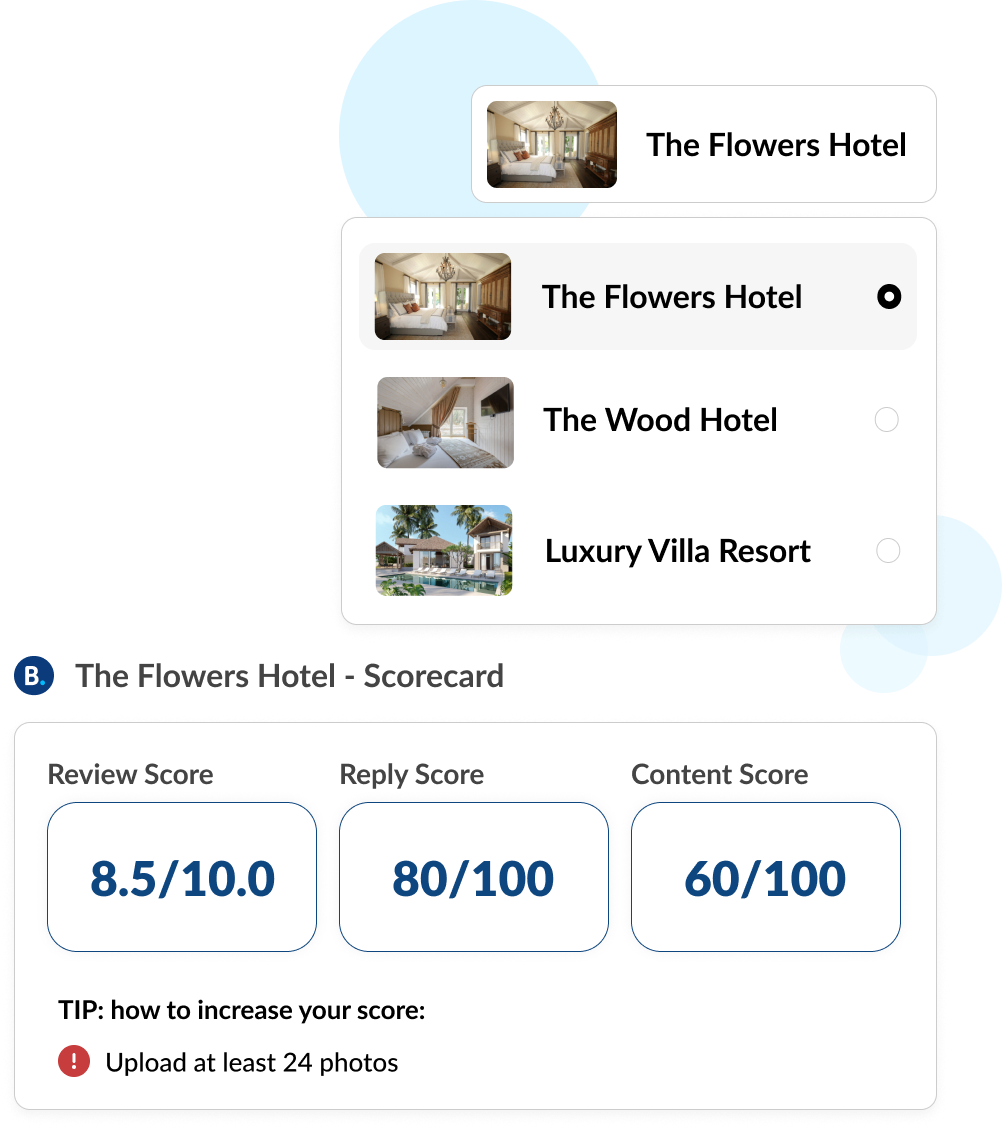
Thanks to the Statistics API, you will also be able to monitor your account score-cards with the ease of a click.

Real-time synchronization
Automated synchronization of the availability for new bookings, modifications and cancellations.

Upload custom rates
Upload different rates from your website onto the channels with one click.

Guests and Credit Card details
Any possible booking information will be imported into your website.
PCI compliant with credit cards.

Manage your promotions
Set-up promotional prices and custom offers for Early Bird/Last Minute bookings or any other deal.

Manage all your contents
Upload photos and manage your Property profile on Booking.com through website.

Reporting tools
Report a guest misconduct, an invalid credit card, a no-show or a change of stay dates to Booking.com

Guest reviews
Manage your property reviews downloaded in real-time and answer directly to your guests.

Check and improve your score
Keep your score-card under control, and check the opportunities to improve your profile ranking.

Guest Messaging
Check the messages sent by your guests through Booking.com, and reply to them directly from your website.
8000+ accommodation owners are already saving money from OTA commissions thanks to e4jConnect
What our clients say

What's needed to start using the service?
All you need is the Booking Engine, the Channel Manager, and an active e4jConnect subscription for the desired channels.
Please note that our "Vik" plugins require you to have a working website built with WordPress or Joomla.
Don't you have our "Vik" plugins yet?
You can purchase them from our respective marketplaces, depending on the platform used by your website.
Get them for WordPress Get them for JoomlaAlready have our "Vik" plugins?
The only thing left is the subscription for the e4jConnect Channel Manager service. Choose the channels you wish to connect.
And you'll be all set!
Use the connectivity service you know and trust via E4J
with the Booking.com marketing platform.
Our excellent connectivity and partnership means more visibility, bookings and revenue for your property.
5 great reasons to partner with Booking.com:
-

Increased revenue
Real-time confirmed bookings means more revenue for you and your property
-

Round the clock, multilingual support
The Booking.com support team handles any questions or requests your guests might have – so you don’t have to.
-

Free registration
There are absolutely no sign-up fees or subscription costs and the commission-based model means you only pay after a guest has paid you.
-

A large, global audience
Your property is marketed to a large audience of travellers worldwide, year-round, with an average of over 625,000 room nights sold every 24 hours.
-

Locally relevant
Booking.com is the top choice amongst travellers worldwide because they display properties in a way that is locally relevant, in up to 41 languages.
-
Sign up today!
Let Booking.com help connect potential guests to your property
Join Booking.com
FAQ - Frequently Asked Questions
The connection between e4jConnect and Booking.com relies on official, two-way API integration running in real time. Whenever a booking, cancellation, or modification occurs on Booking.com or your website, the Channel Manager instantly updates room availability across all connected channels to eliminate overbooking risks. Similarly, any adjustments you make to rates, prices, or restrictions in your dashboard are immediately transmitted to Booking.com.
Yes, through the e4jConnect interface, you can set channel-specific rate markups or discounts. This allows you to apply flexible pricing strategies, such as increasing rates on Booking.com to cover OTA commissions, while managing everything centrally from your website. By keeping lower prices on your direct booking engine, you can encourage direct, commission-free bookings while still reaching a broader audience on Booking.com.
Yes. Thanks to our official integration with Booking.com, e4jConnect allows you to read and respond to guest messages directly within your website dashboard or via the official e4jConnect Mobile App. If you add the AI Assistant module to your subscription, you can also automate guest support with 24/7 instant AI responses.
Yes, our system fully supports multi-account management for Booking.com. This feature is ideal for property managers and hosts operating multiple units, dispersed apartments, or separate extranet profiles, giving you unified control over all your listings from a single master calendar.
- An active website powered by WordPress or Joomla.
- The VikBooking and Vik Channel Manager plugins installed.
- An active e4jConnect subscription for Booking.com.
No, using iCal for Booking.com is neither supported nor recommended. As an official partner of Booking.com, e4jConnect connects exclusively via high-performance, two-way APIs. iCal feeds rely on basic import/export links that suffer from synchronization delays and cannot transfer rates, restrictions, modifications, or guest messages, drastically increasing the risk of overbooking compared to a direct API connection.

Start a Free Trial
Available for WordPress websites.
No commitment required.

Talk to an Expert
We'll help you understand if the solution
fits your property and setup.