In the hospitality industry, communicating with guests is not just a formality: it is the key to ensuring a memorable experience, optimizing reception workflows, and, above all, unlocking the opportunity to increase direct bookings for your property.
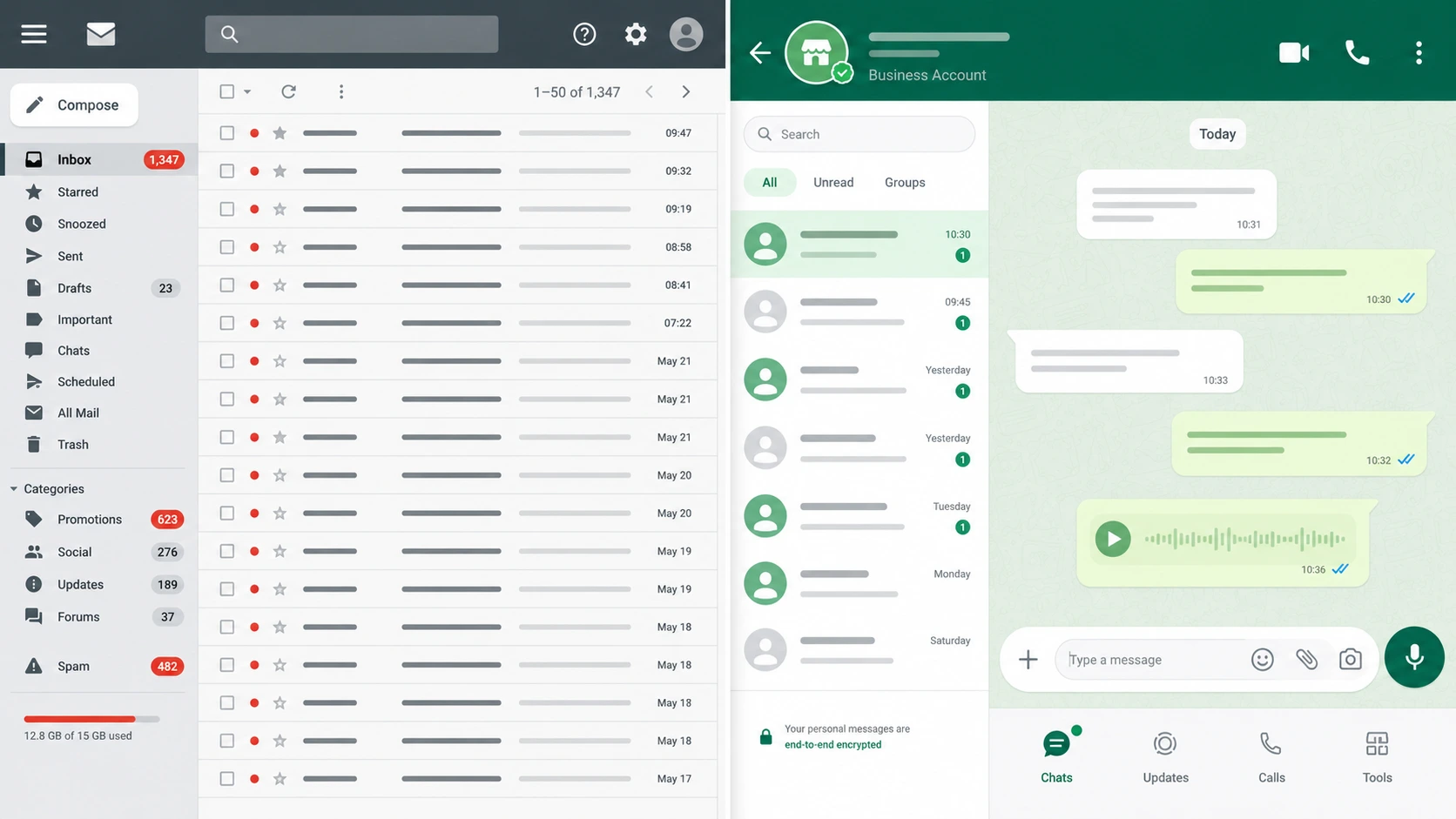
For years, email has been the undisputed channel for sending booking confirmations, quotes, and check-in instructions. But times are changing, and with them, the digital habits of travelers. Today, customers' inboxes are saturated, overwhelmed by promotional newsletters and increasingly aggressive spam filters.
Smartphones are now everyone’s preferred communication channel. With over 3 billion active users worldwide, WhatsApp (along with WhatsApp Business) is the reigning king of daily messaging. Choosing it as the primary communication tool for your hotel or vacation rental does not just mean adopting a faster and more effective tool than email—it means making a strategic choice capable of delivering a decisive boost to your business performance.
In this article, we will analyze why WhatsApp is outperforming email in the tourism sector and how the new WhatsApp Business integration by e4jConnect will revolutionize your property management.
Numbers Don't Lie: WhatsApp vs. Email
If you are still relying exclusively on email for your guest experience and property logistics, these data points (updated to 2026 global benchmark values on user engagement) should make you reconsider:
| Why Choose WhatsApp Business for Your Property? | |||
|---|---|---|---|
| Open Rate | 20-22%
(Penalized by spam and "Promotions" folders) |
98%
(Virtually every message is read) |
Guaranteed Delivery: You have the peace of mind that guests actually see important information. |
| Open Velocity | Hours or days
(Often read too late) |
Read within 5 minutes
(For 80% of sent messages) |
Immediate Responsiveness: Ideal for last-minute communications or access codes. |
| Click-Through & Response Rate (CTR) | 2-5%
(Minimal interaction) |
45 - 60%
(Extremely high engagement) |
More Conversions: Quick replies and a massive conversion rate on upselling extra services (breakfast, transfers, late check-out). |
For a hotel or a property management professional, this responsiveness is vital. Imagine having to communicate a last-minute change to an access code or coordinate an arrival time: WhatsApp eliminates distances and waiting times.
The e4jConnect Breakthrough: A Single, Centralized Conversation Inside the PMS Vik Booking
Until now, the main hurdle in adopting WhatsApp Business for accommodation providers was fragmentation. Staff had to constantly jump between the property management software (PMS), a smartphone, or WhatsApp Web, risking lost messages, forgotten replies, or an untracked guest history.
With the new WhatsApp Business integration by e4jConnect, this obstacle is completely removed.
It allows you to have a centralized conversation directly inside the backend of Vik Booking management system. Whether it is a message coming from OTA channels (via portal APIs), a live chat from your website, or a WhatsApp Business message, everything flows into the exact same place.
Advantages for your operations:
- Total Monitoring: Reception staff can view the unified message history associated with each booking. No detail ever gets lost.
- Simplified Multi-Operator Management: Multiple staff members can manage WhatsApp conversations simultaneously from the reception computer, without having to share a single physical phone.
- Security and Privacy: Guest data remains protected within your own management ecosystem.
Intelligent Automation: 24/7 Front Desk Thanks to Artificial Intelligence
One of the most extraordinary highlights of this integration is the ability to enable automated replies assisted by an AI agent (chatbot).
"What time is breakfast?" "Can I leave my bags before check-in?" "Do you have Wi-Fi?"
These repetitive questions consume a massive amount of your staff's valuable time. By integrating the e4jConnect AI agent with your WhatsApp Business channel, your property will feature a virtual assistant active 24 hours a day, 7 days a week.
The AI draws data directly from the booking and property information within Vik Booking to instantly reply to the guest in a natural and precise manner, regardless of the customer's language or the time of the request.
The result? Guests are taken care of instantly, and your front desk experiences a drastic reduction in workload.
Beyond Chat: Integration with Self Check-in and Door Access Control
Automated messaging on WhatsApp elevates property efficiency to a superior tier when combined with self check-in and access control systems, effectively replacing standard email communications.
Thanks to the programmable automations of e4jConnect Vik Booking, you can configure the automated dispatch of strategic messages based on the booking status:
- A few days before arrival: Automated delivery of the link to complete the online check-in (document collection and payments).
- On the day of check-in: Automated delivery via WhatsApp of the digital codes to open doors or keypads (Door Access Control).
Guests do not need to download additional apps or scroll through their email inbox looking for a lost PDF: they have everything they need in the app they use every day.
In Conclusion: Why Activate the e4jConnect Vik Booking WhatsApp Integration Right Away?
Replacing (or smartly supporting) old email-based routines with the fluidity of WhatsApp Business is no longer an option—it is a clear competitive advantage.
Choosing the e4jConnect solution means choosing simpler management, secure message automation, and the certainty that every single interaction remains logged inside Vik Booking. Less stress for your team, more direct conversions, and better reviews from your guests.
Are you ready to transform your property's communication?
FAQ - Frequently Asked Questions
Yes, an active official WhatsApp Business account is required to use the e4jConnect integration. This requirement, established by Meta, ensures that your property complies with current professional messaging regulations, protecting your phone number from the risk of being banned, and guaranteeing secure, verified communications with travelers.
Yes, the e4jConnect integration fully supports multi-operator management. Multiple receptionists or property managers can access the Vik Booking panel at the same time from different workstations and reply to guest messages in real time, optimizing front desk management times.
WhatsApp offers a unified, real-time timeline, whereas email fragments the conversation based on subject lines or different inboxes. In the Vik Booking backend, the e4jConnect integration builds a single, linear conversation flow linked directly to the reservation. You will no longer need to dig through mail servers for old emails exchanged with the client: every request, AI response, or staff note is visible at a glance on the same screen.
Yes, automated messaging is fully supported. Thanks to the scheduled actions management (cron jobs) in Vik Booking, you can plan the automated delivery on WhatsApp of pre-check-in reminders, document requests, balance payment reminders, follow-up messages, and more. Compared to email, WhatsApp's competitive edge lies in its immediacy. Crucial updates that risk landing in spam or being ignored via email get an instant view on WhatsApp, boosting the guest experience and streamlining front desk workflows.
Because WhatsApp eliminates the issue of undelivered or ignored emails, boasting a 98% open rate. Many guests forget to fill out the online check-in sent via email simply because it gets lost among unread mail. Receiving the Vik Booking link on WhatsApp a couple of days before arrival prompts the guest to complete the procedure (documents and payments) instantly from their smartphone, freeing your physical reception from check-in lines upon arrival.
No, the AI agent is designed for instant messaging. It unlocks its maximum potential when integrated with the e4jConnect WhatsApp Business channel to automatically and instantly answer your guests' questions at any hour of the day or night (and, if needed, it can be deactivated or configured according to your specific requirements).