
Mobile App Two-Factor Authentication
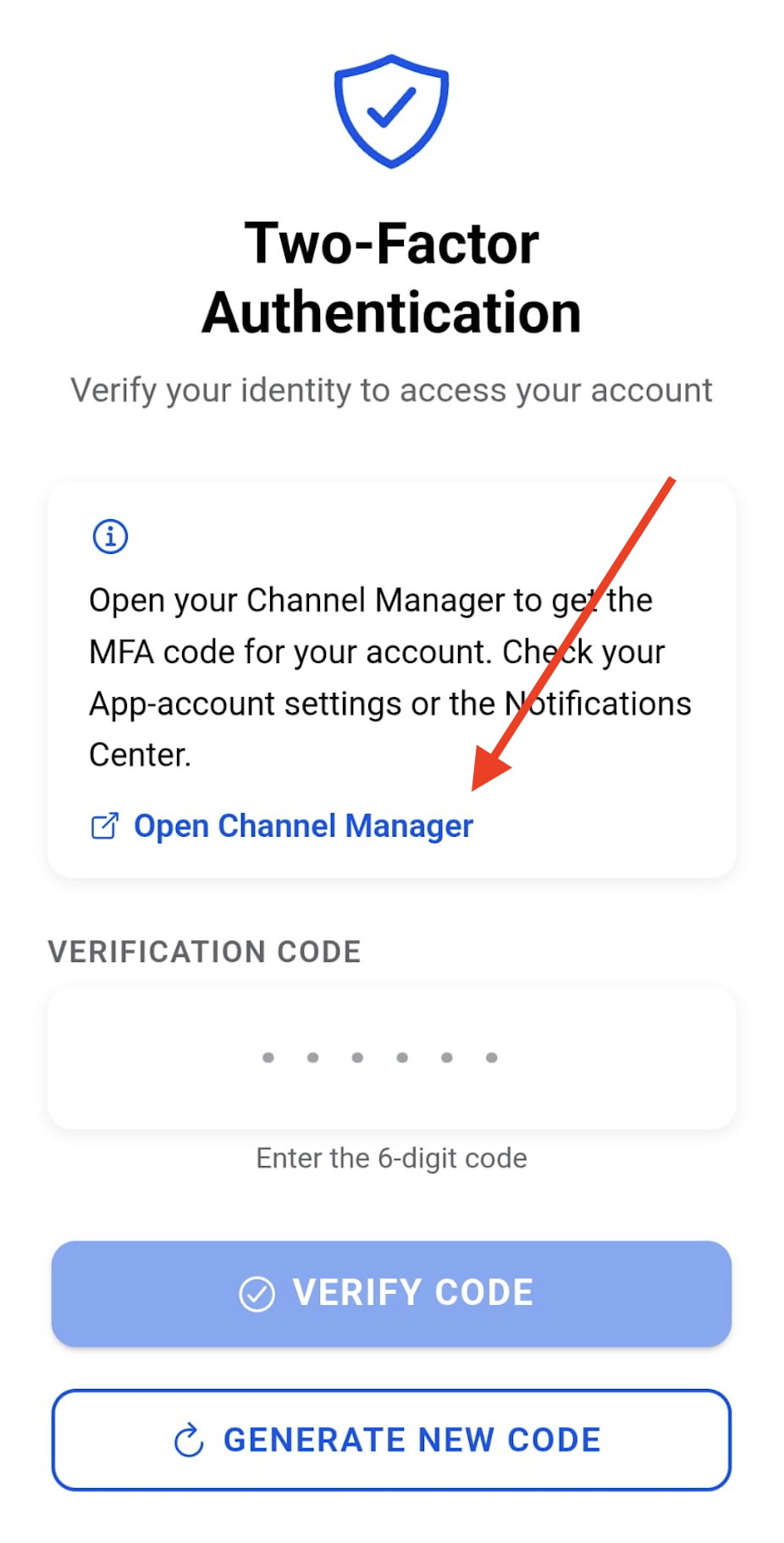
The Mobile App implements a Two-Factor Authentication (2FA) process to ensure secure access to your account. Follow the steps below to retrieve the verification code required to complete the login process.
Retrieving the Verification Code
- Log in to the Mobile App. After entering your credentials, you will be prompted to enter a verification code, which can be retrieved from your Vik Channel Manager. The App provides a direct link to open your WordPress/Joomla website in your device's default browser. Alternatively, you can access Vik Booking or Vik Channel Manager from any device.
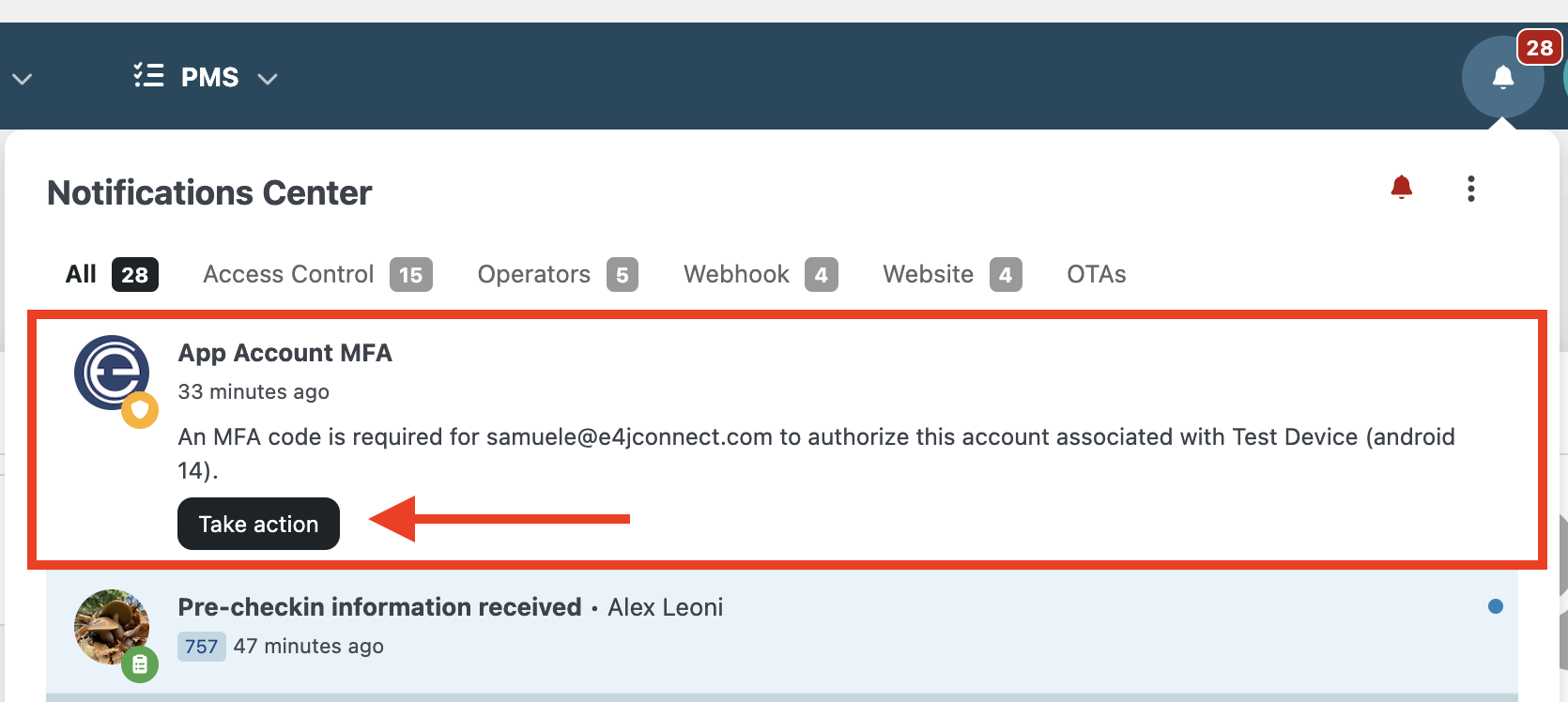
- Open the Notification Center and locate the dedicated notification. Click the "Take Action" button to be redirected to the Vik Channel Manager Settings page. Alternatively, you can navigate there manually through Vik Channel Manager > Settings.
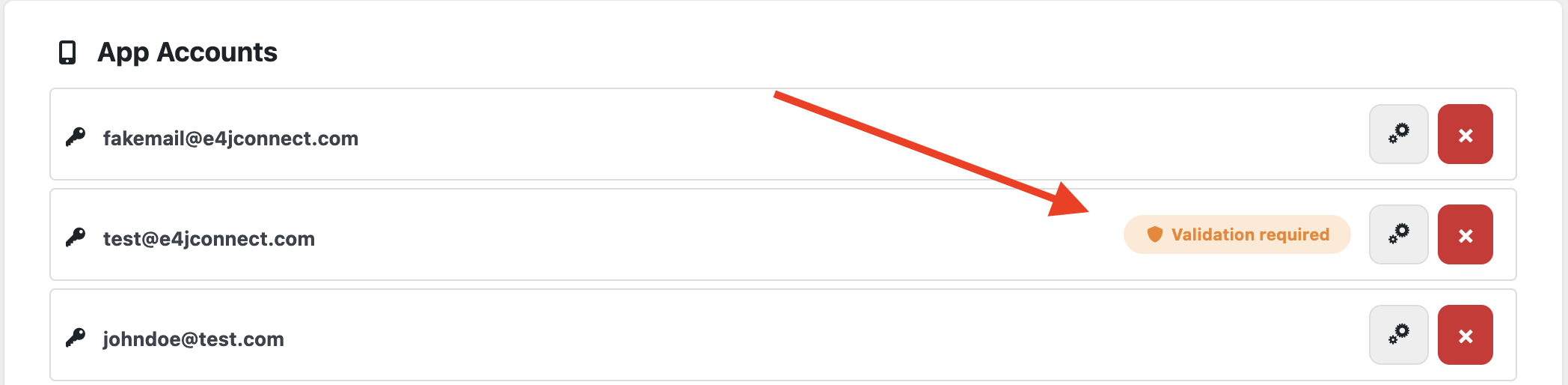
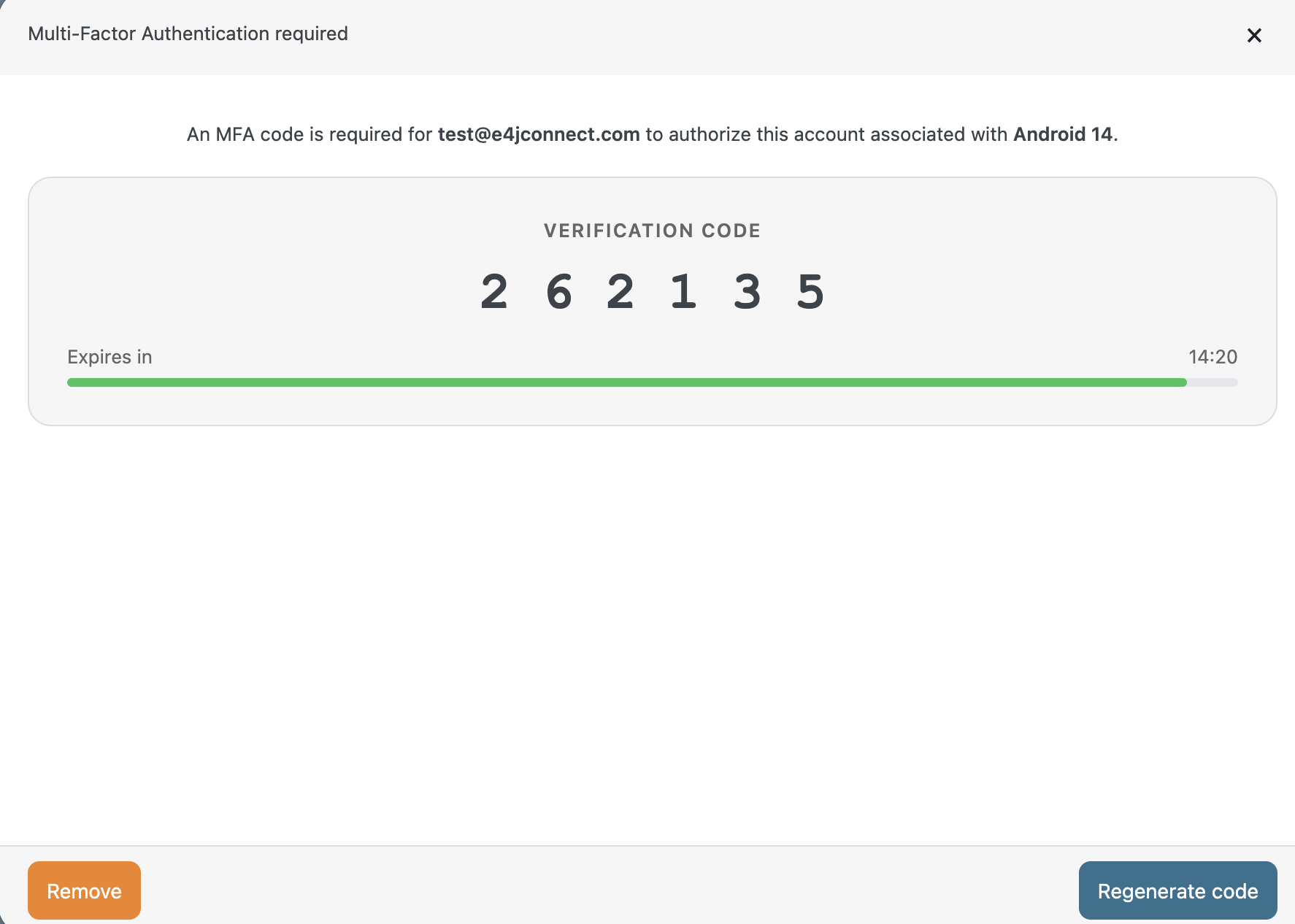
- Scroll down to the "App Accounts" section. Here you will find a list of all active App Accounts. Accounts that have requested a verification code will display a yellow "Validation Required" button. Click this button to view the verification code and enter it into the Mobile App.
Additional Information
The Two-Factor Authentication process is required only when you explicitly log out of the Mobile App using the dedicated Log Out button.
If the App is simply closed or terminated without logging out, a new authentication code will not be required the next time you open it.
Please note that each verification code remains valid for 15 minutes. After this period, the code expires and a new one must be generated.
e4jConnect.com and e4j - Extensionforjoomla.com are not affiliated with or endorsed by the Joomla! Project or Open Source Matters.
The Joomla! name and logo is used under a limited license granted by Open Source Matters the trademark holder in the United States and other countries.
E4J s.r.l. - VAT N. 06794860483